Below is a complete overview of how the HBB (Health Before Beauty) membership system works, what you get access to, and how to use your tools, badges, dogs and certificates.
Start by creating your HBB member account. Once registered, you will be able to access your personal dashboard and all membership tools.
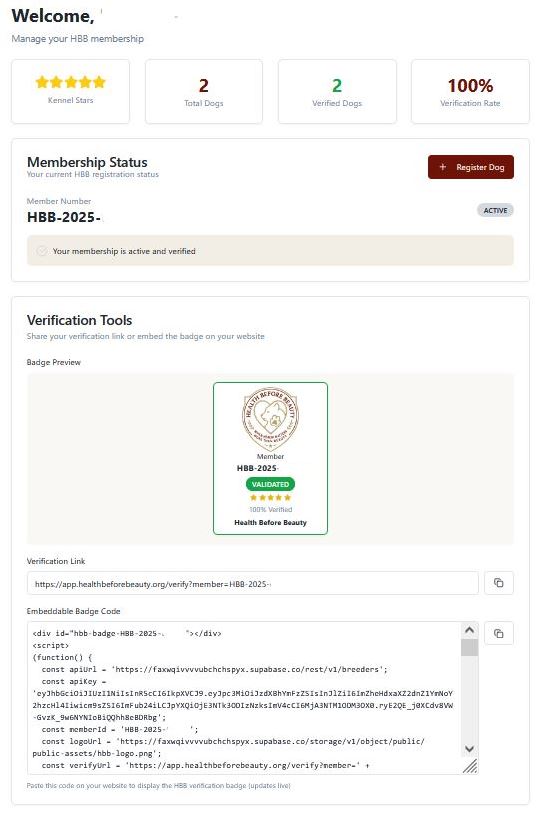
Your dashboard gives you a full overview of your membership and breeder tools.
Here you will see:
Shows whether your membership is active and verified.
A section with everything you need to prove your membership publicly:
Badge Preview – see how your official HBB Member Badge looks.
Verification Link – a unique link you can share anywhere to prove your membership.
Embeddable Badge Code – HTML code for displaying your live-updating member badge on your website
(images are not allowed; you must use the live badge code).

Shows your personal HBB member information, including:
Member #HBB-2025-xxxxx
Kennel Name
Breeder Name
Phone
Website
Address
You can update this information at any time.
This section displays:
Your Member Badge
Membership Status
Your Contact Information
List of Verified Dogs registered under your kennel
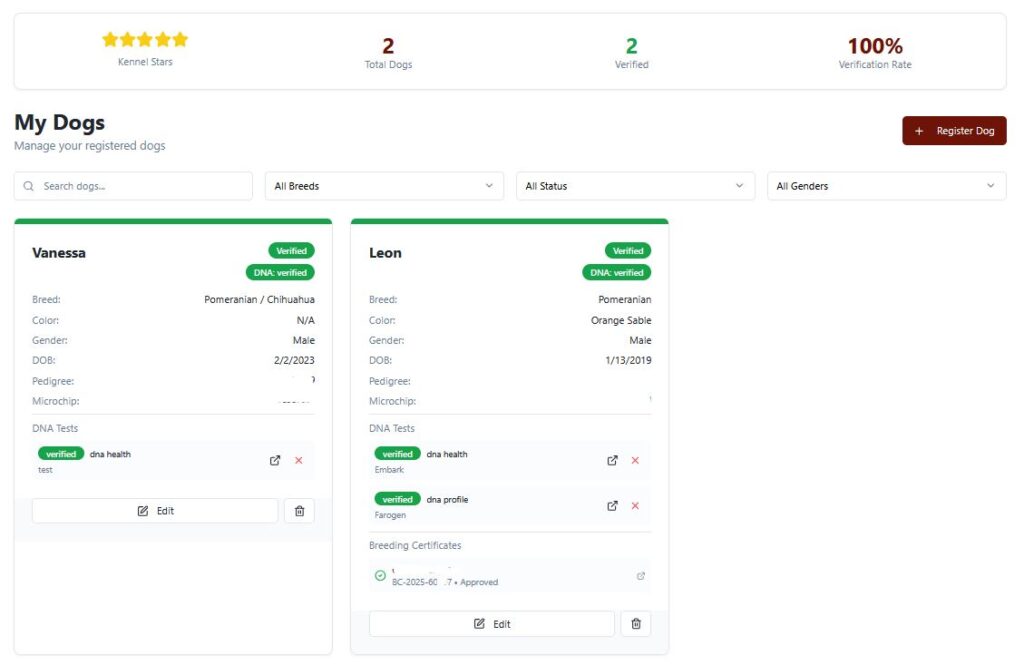
Here you can manage all dogs you have registered with HBB.
You can:
View and update your dogs
Register new dogs
Add health documentation and details
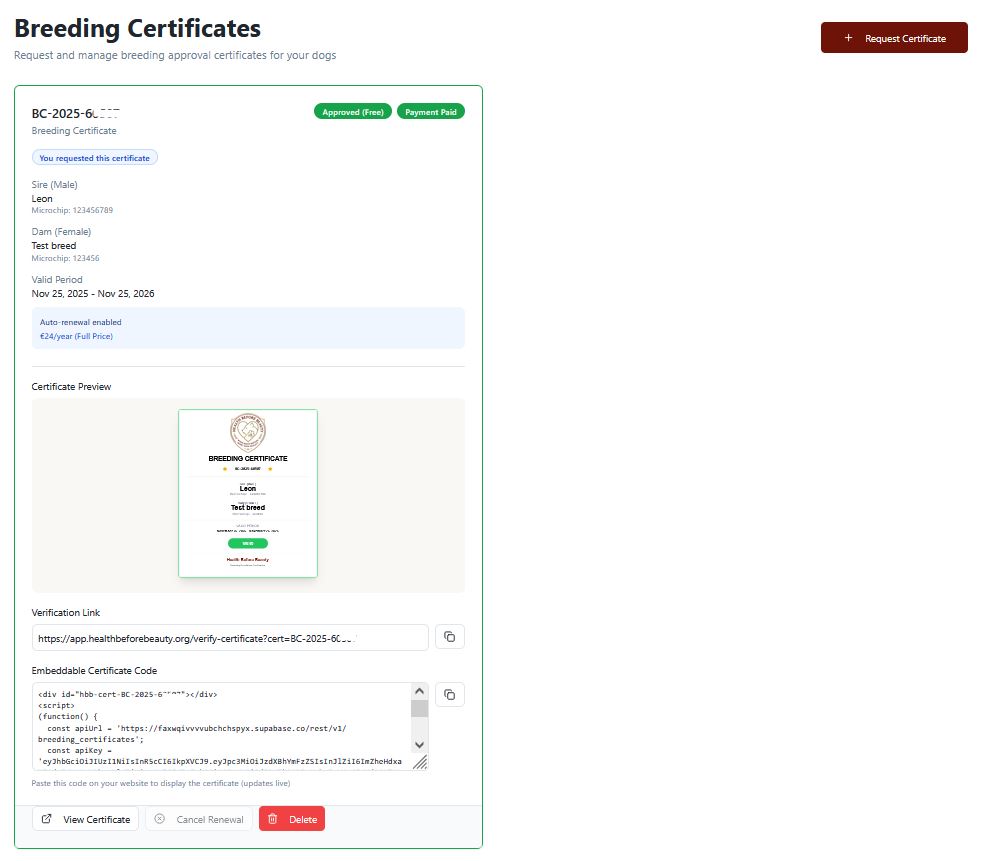
This is where you request and manage your HBB breeding certificates.
You can:
Order mating (breeding) certificates
View certificates once they are approved
Access your unique Verification Link for each certificate
Use the Embeddable Certificate Code to display the certificate on your website with live status
Each certificate includes automatic verification, showing transparency for puppy buyers and partners.